
From Noisy Data to Qualified Meetings
How AI SDR Agents Turn Signals into Sales
A Practical New Pattern: Multi‑Agent SDR Workflows
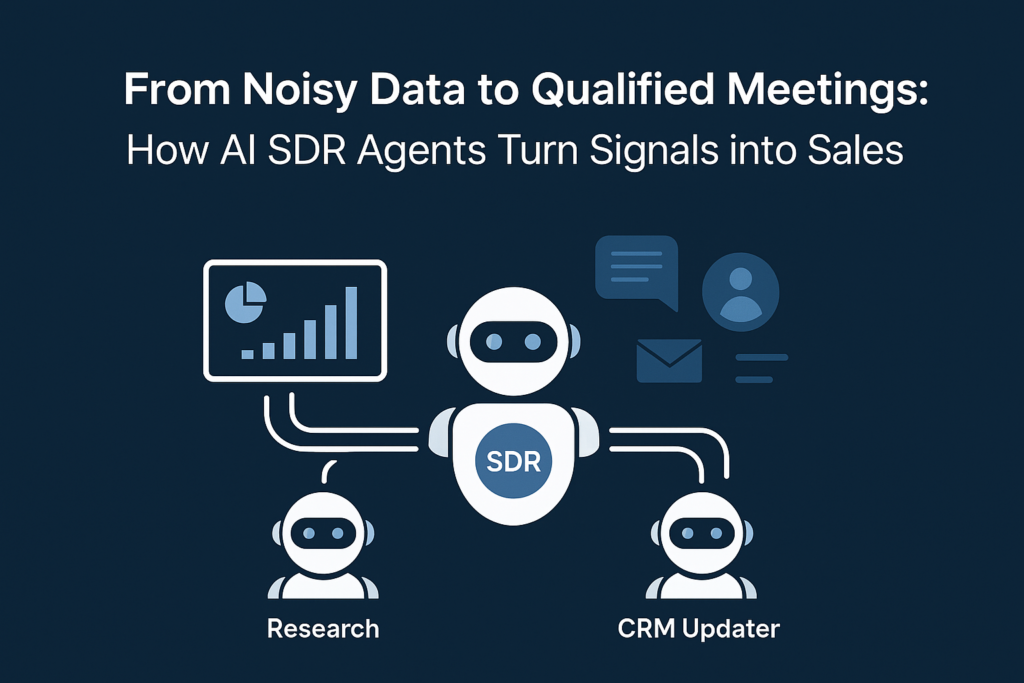
Rather than relying on one monolithic AI workflow, high‑performing teams are adopting a multi‑agent model — small, specialized AI agents working together under orchestration:
- Research Agent — pulls and normalizes approved web and network data, scoring confidence and identifying buying signals.
- SDR Manager (Orchestrator) — decides the next best step, enforces tone and compliance, and manages confidence thresholds.
- CRM Updater — maps fields correctly and writes structured insights back to CRM using gated rules and HITL (human‑in‑the‑loop) safeguards.
This pattern is grounded in a modular, testable architecture where each agent is responsible for one job and one job only — reducing drift and increasing reliability.
What “Signals to Sales” Looks Like in Real Life
1. Enrich & Align on the Right Buyers
The Research Agent evaluates firmographics and activity patterns against your ICP — such as SMB manufacturers, distributors, or project‑centric companies in the 25–250 employee range. It surfaces buying intent from engagement metrics, campaign interactions, email behavior, and website visits.
2. Prioritize & Sequence the Next Best Touch
The SDR Manager evaluates readiness (intent + seniority + recency), selects a channel, and assembles the context needed for a personalized message — all while enforcing tone and compliance rules.
3. Close the Loop Inside CRM
The CRM Updater writes notes, tags, and enrichment data into Leads, Contacts, and Accounts using mapped fields and confidence‑gated write rules. Low‑confidence updates automatically route to human approval; high‑confidence updates flow automatically.
4. Meet Prospects Where Your Team Works
Once interest is detected, integrating with email and calendar tools (e.g., Outlook) ensures outreach and meeting scheduling happen without manual re‑entry. Every step remains logged within CRM.
Why Teams See Higher Reply & Meeting Rates
- Identify your three buyer personas and one high‑value use case.
- Pull a 10‑account sample and evaluate missing contact + account data.
- Set confidence thresholds for auto‑update vs. human approval.
- Validate CRM field mapping for notes, tags, custom objects, and activities.
Bottom line: You don’t need a massive overhaul to improve SDR performance. Start by assembling the facts you already have, enforce confidence rules, and connect the last mile to your inbox and calendar.
A 90‑Minute Fit Assessment Checklist
- Precision at scale — each agent is specialized; no “do‑everything” prompts that weaken over time.
- Consistency with control — the SDR Manager applies confidence rules, tone, and compliance guardrails across every touch.
- Full observability — micro‑steps (fetch → parse → verify → map → write) are logged for traceability and improvement.